


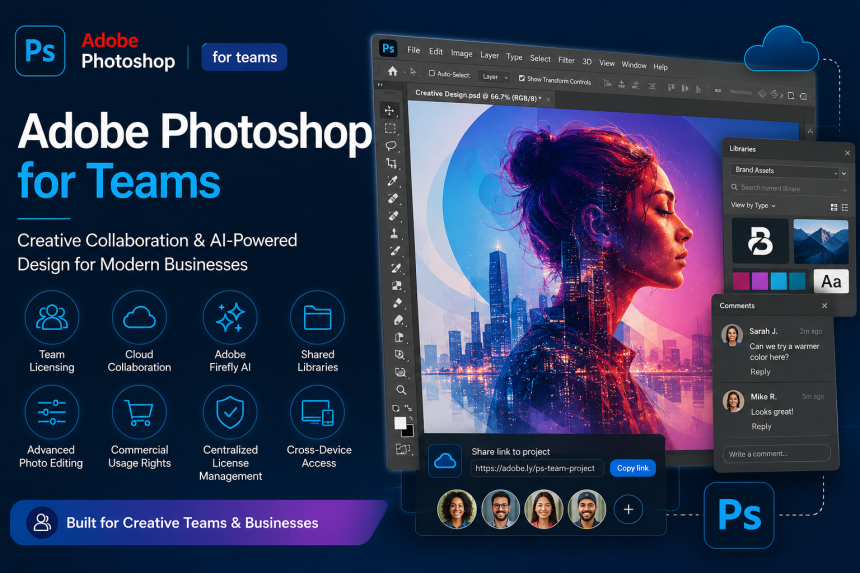
Adobe Photoshop is one of the world’s most widely used graphic design and image editing software. While many users know Photoshop as an individual designing and editing tool, but businesses today are increasingly adopting Adobe Photoshop for Teams to improve collaboration, licensing management, and creative workflows.
In this guide, i will explore Adobe Photoshop for Teams features, business benefits, AI capabilities, collaboration tools, and why organizations prefer Teams licensing over individual subscriptions.
What is Adobe Photoshop for Teams?
Adobe Photoshop for Teams is a business-focused licensing solution designed for organizations, agencies, marketing teams, content creators, and enterprises.
It provides:
- centralized license management,
- team collaboration,
- shared creative assets,
- cloud storage,
- business support,
- and commercial usage flexibility.
Unlike individual plans, Teams licensing offers better control and scalability for organizations.
Key Adobe Photoshop for Teams Features
1. Advanced Image Editing
Photoshop provides industry-leading image editing capabilities including:
- photo retouching,
- background removal,
- color correction,
- object manipulation,
- layer-based editing,
- AI-assisted enhancements.
Creative professionals can design:
- marketing creatives,
- social media graphics,
- banners,
- presentations,
- product visuals,
- digital advertisements.
2. Adobe Firefly AI Features
Modern Photoshop versions include AI-powered tools through Adobe Firefly.
AI Features Include:
- Generative Fill
- AI background replacement
- Object generation
- Smart selection tools
- AI image expansion
- Content-aware editing
These features help teams reduce manual editing time significantly.
3. Team License Management
One major advantage of Teams licensing is centralized administration.
Admins can:
- assign licenses,
- remove users,
- manage subscriptions,
- transfer licenses,
- monitor usage.
This simplifies software management across organizations.
4. Shared Creative Libraries
Teams can share:
- brand assets,
- logos,
- templates,
- colors,
- fonts,
- design elements.
This helps maintain brand consistency across departments and campaigns.
5. Cloud Storage & Collaboration
Adobe Photoshop for Teams includes cloud collaboration capabilities.
Users can:
- access files remotely,
- sync projects,
- collaborate in real-time,
- share assets securely.
This supports hybrid and remote work environments effectively.
6. Cross-Device Access
Photoshop can be used across:
- Windows
- Mac
- Tablets
- Cloud workflows
Creative professionals can continue projects from multiple devices seamlessly.
7. Commercial Usage Rights
Businesses require proper software licensing for commercial usage.
Teams licensing helps organizations:
- remain compliant,
- avoid piracy risks,
- receive official Adobe support,
- maintain legal software usage.
This is especially important during software audits and compliance checks.
8. Adobe Fonts & Stock Integration
Photoshop integrates with:
- Adobe Fonts,
- Adobe Stock,
- Creative Cloud libraries.
This improves creative efficiency and content production speed.
9. Enterprise-Grade Security
Business licensing provides:
- secure access,
- admin controls,
- user management,
- identity integration.
Organizations can better protect creative assets and business data.
Benefits of Adobe Photoshop for Teams
Improved Collaboration
Creative teams can work together more efficiently using shared libraries and cloud workflows.
Centralized Control
IT administrators can manage all users and licenses from a single dashboard.
Faster Design Workflows
AI-powered tools reduce repetitive editing tasks and improve productivity.
Better Brand Consistency
Shared assets ensure all departments follow consistent brand guidelines.
Scalability
Businesses can easily add or remove users as teams grow.
Who Should Use Adobe Photoshop for Teams?
This solution is ideal for:
- marketing agencies,
- graphic designers,
- media companies,
- eCommerce businesses,
- architecture firms,
- social media teams,
- corporate marketing departments,
- creative studios.
Adobe Photoshop for Teams vs Individual Plan
| Feature | Individual Plan | Teams Plan |
|---|---|---|
| Centralized License Management | No | Yes |
| Shared Libraries | Limited | Yes |
| Team Collaboration | Basic | Advanced |
| Admin Console | No | Yes |
| Business Support | Limited | Priority |
| Commercial Team Usage | Limited | Optimized |
| Scalable User Management | No | Yes |
Why Businesses Prefer Teams Licensing
Organizations today require:
- collaboration,
- scalability,
- compliance,
- centralized IT control,
- secure creative workflows.
Adobe Photoshop for Teams helps businesses manage creative operations professionally while improving productivity and collaboration.
Final Thoughts
Adobe Photoshop for Teams license is more than just image editing software. It is a complete creative tool platform for modern organizations. From AI-powered editing options to centralized team license management and cloud collaboration, Photoshop for Teams helps businesses streamline creative workflows while maintaining brand consistency and operational efficiency.
Whether you are a marketing and creative agency, enterprise design team, or growing business, Adobe Photoshop for Teams provides the flexibility and power needed for modern creative operations.